Tourist Map of London: Create a Hand-Drawn Travel Poster in MapDraw
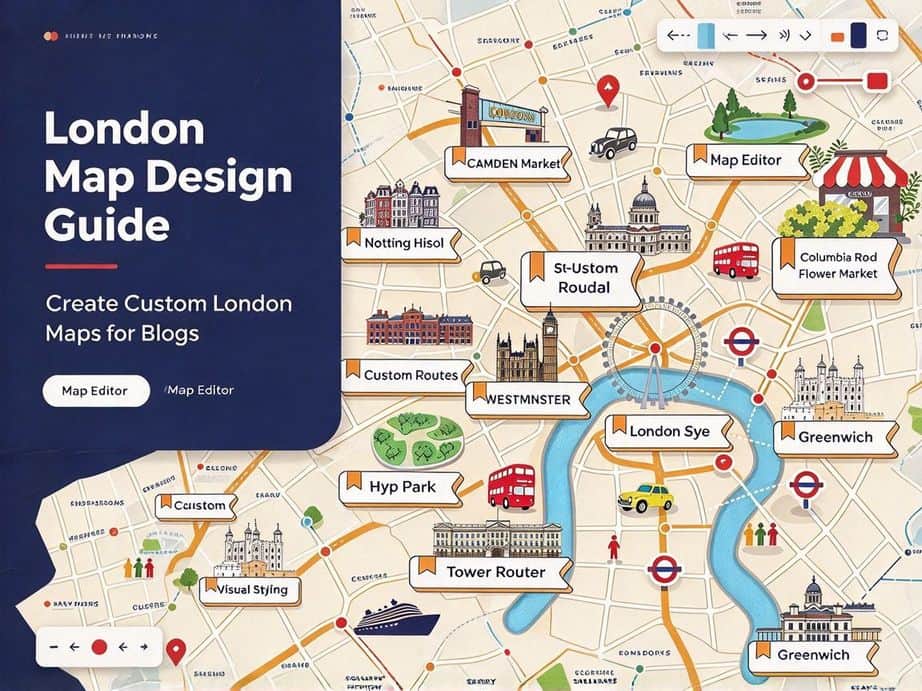
A tourist map of London is more memorable when it feels hand-made: soft roads along the Thames, circled landmarks, and a poster title you can print or share. This guide shows how to build that look in MAPDRAW.APP—or open the published Tourist map of London template and make it yours in one click.
Why a hand-drawn London map?
Guidebook maps are accurate; illustrated maps are personal. Friends remember Big Ben, Borough Market, and a riverside walk when they sit on one clear board. MapDraw keeps roads, shapes, labels, and assets on the same canvas so you can iterate quickly.
What you will make
- A warm, readable London tourist map board
- Main routes that suggest walking or day loops (not a full Tube diagram)
- Landmark markers for icons like bridges, parks, and museums
- Optional title block: “Tourist map of London”
- Export for social, print, or trip planning
Option A — Start from the London template
- Open the Tourist map of London template.
- Use Use this template to copy it into your project list.
- Swap colors, move markers, and rename labels for your itinerary.
- Export when the composition feels finished.
Templates already carry layout and style; you focus on the story of the trip.
Option B — Draw from scratch in MapDraw
- Open the local editor or online projects.
- Set a soft board background (cream, mist blue, or warm grey).
- Draw the Thames as a calm river path, then add a few primary roads.
- Smooth road curves so routes feel natural.
- Place circles or shapes on key stops (West End, South Bank, parks…).
- Tune fill and stroke so markers contrast with the background.
- Lock markers, then add labels and icons from the asset panel.
- Add a simple title and export high resolution.
SEO tips for sharing your map
- Name the file clearly:
tourist-map-of-london.webp - Caption with place names people search: London, Thames, Westminster, Covent Garden
- Link back to your MapDraw project or the template gallery
Related guides & templates
- Tutorial: How to Draw a 4-Day Beijing Tourist Map
- Template: 4 Days in Beijing Tourist Map
- Template: New York Central Park
- Browse all design templates
FAQ
Do I need an account?
You can practice on /local. Use an account when you want cloud save and template apply via /design.
Is this a real Tube map?
No—it is a stylized tourist map for storytelling and posters. Keep transport accurate only where you need it.
Can I print it?
Yes. Choose a board size that matches your print ratio, then export a high-resolution image.
Ready to draw London?
Open MAPDRAW.APP, open the London tourist map template, and create a hand-drawn London travel poster in minutes.