How to Draw a 4-Day Beijing Tourist Map (Step-by-Step Tutorial)
Planning a short trip is easier when the itinerary lives on a hand-drawn tourist map. In this tutorial you will build a friendly 4-day Beijing tourist map inside MAPDRAW.APP—from a warm yellow canvas to roads, landmarks, and decorative assets.
Open the local editor (no account needed) or your online projects, then follow the nine steps below. At the end, keep refining until your map looks like the finished example.
What you will make
A clear illustrated map for a four-day Beijing visit: soft background, readable roads, circular spot markers for sights, and icons that make the poster feel personal.
Step 1 — Set the background color to yellow
Start with atmosphere. In the toolbar, choose a warm yellow (or soft cream) for the board background. A light base keeps roads and landmarks readable and gives the map a travel-poster feel.

Step 2 — Draw the initial road
Use the road tool to sketch the main routes that structure your four-day story—arterials that connect districts or day-by-day loops. Keep the first pass simple; you will refine curves next.
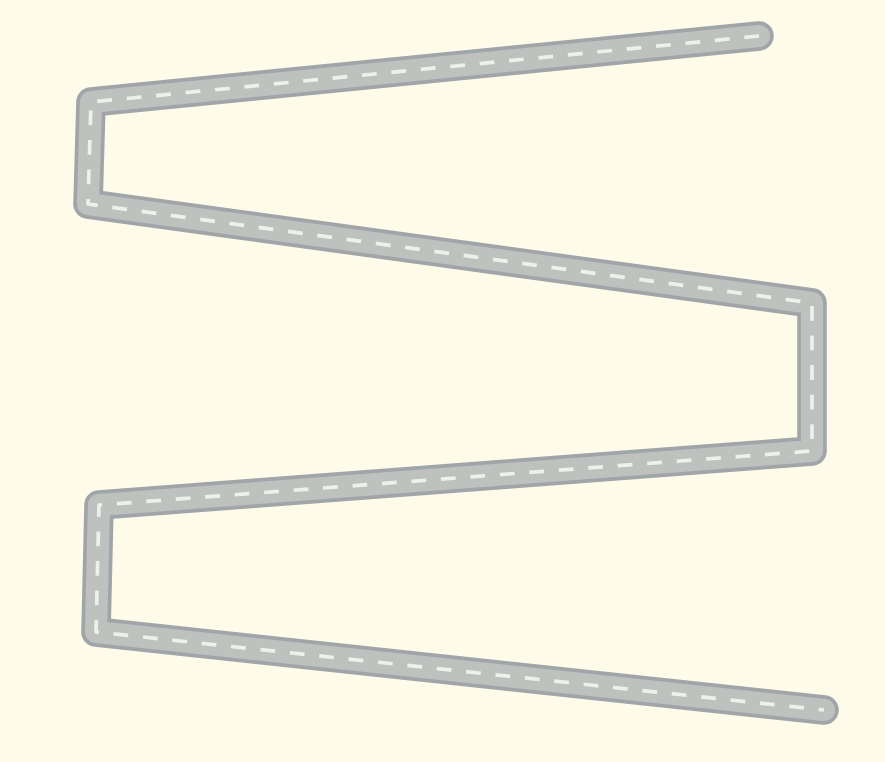
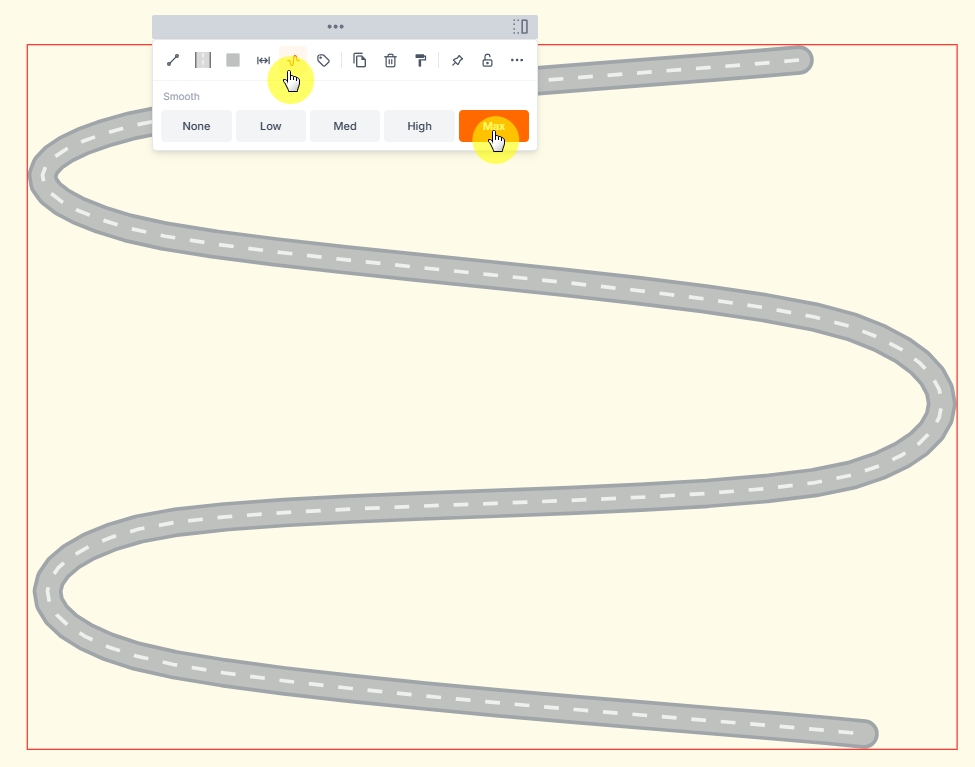
Step 3 — Make the road smooth
Select the road and increase smoothness so corners feel natural. Smooth roads read better as “routes” on a tourist map and look more polished when you export.
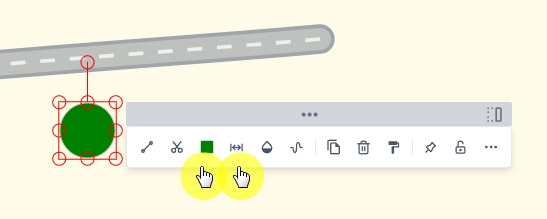
Step 4 — Select a shape and draw a circle
From the shapes tools, pick a circle (or ellipse). Draw a circle where a landmark or day stop should sit—Forbidden City area, hutong walks, park days, and so on.

Step 5 — Modify circle color and border
Open the modify bar and tune fill and border so markers contrast with the yellow background. Soft fills with a slightly darker stroke usually work well for tourist spots.
Step 6 — Copy circles onto the road
Duplicate your styled circle and place copies along the route for each major stop. Align them near the road so visitors can “follow” the four-day path at a glance.
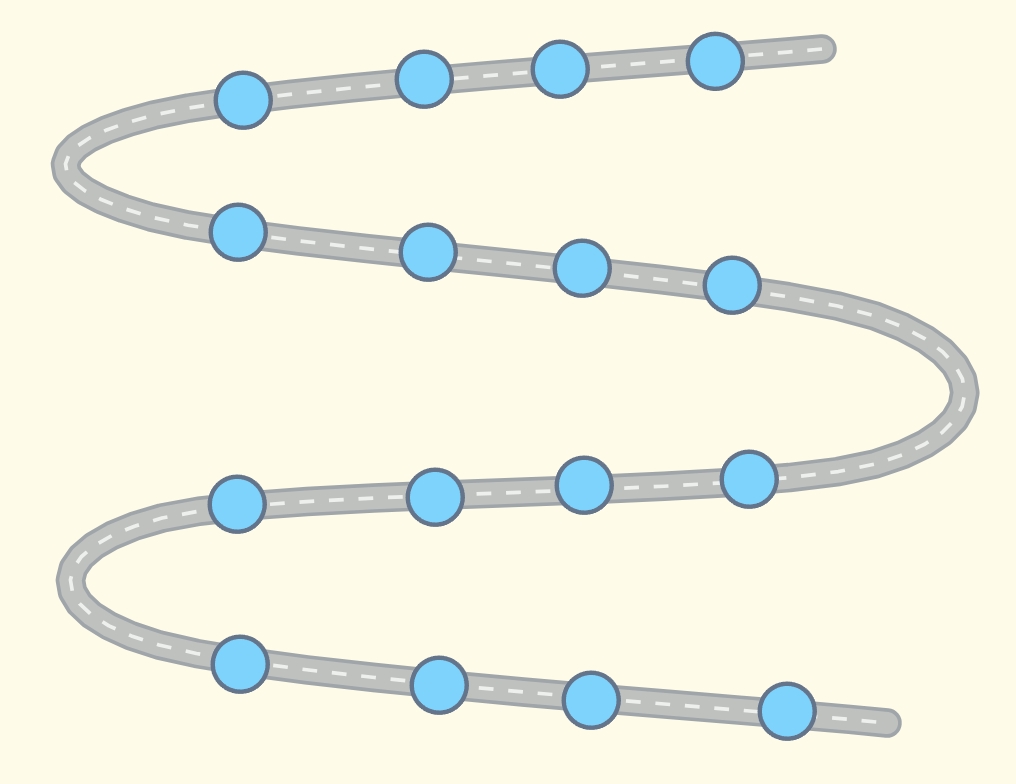
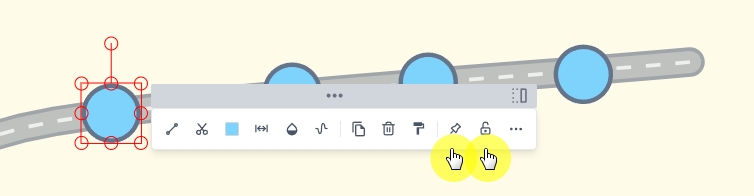
Step 7 — Fix position or lock markers
When markers look right, lock them (or freeze selection) so you do not drag them by accident while adding labels and assets.
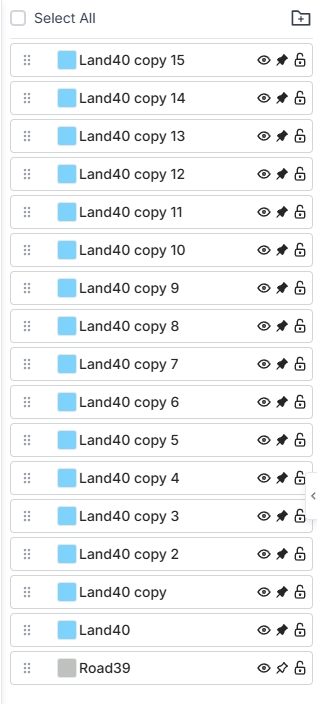
Step 8 — Organize locks in the layers panel
Prefer the layers panel for the same control: reorder, hide, or lock individual circles while you polish the rest of the composition.
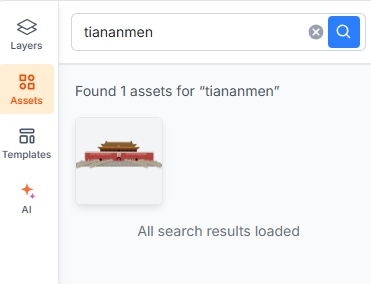
Step 9 — Add image assets from the asset panel
Open the asset panel and drop in icons—temples, food, parks, transit—to enrich each day. Use a consistent style and avoid overcrowding labels.
Keep going — make it yours
The nine steps above are the spine of the map. Now use your own ideas:
- Label days (Day 1–4) or neighborhood names
- Tint roads by day or by transit type
- Add a title block: “4 Days in Beijing”
- Export a high-resolution image for print or social
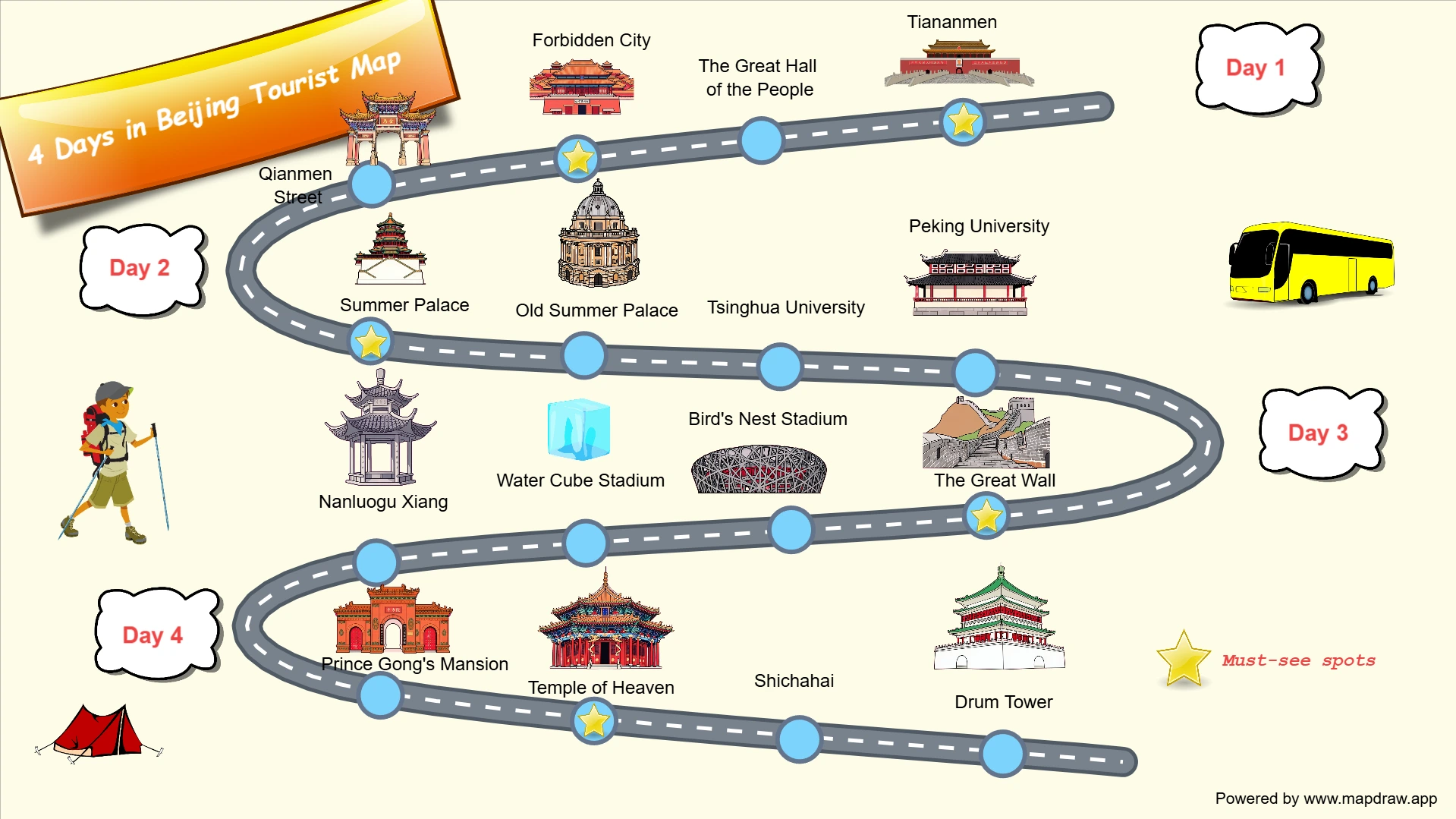
Your finished board can look like this reference:
FAQ
Do I need an account?
No. You can practice on /local. Create an account when you want cloud save and multi-device access via /design.
Can I start from a template?
Yes—browse templates, then adapt colors, roads, and markers for Beijing.
What size should I use?
Any board size works. For posters, try a portrait or landscape custom size in the canvas size dialog before detailing.
Ready to draw?
Open MAPDRAW.APP and sketch your own 4-day Beijing tourist map in minutes. Share it with friends—or print it as a trip keepsake.